MyBudgetWorld.com – My First Ever Domain Name

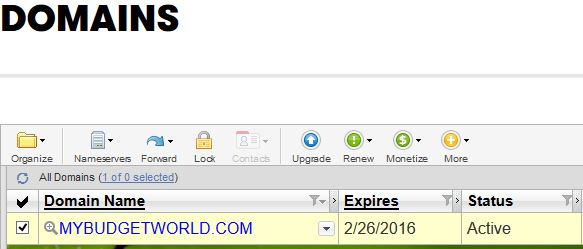
Screen capture of my new domain from godaddy.

I finally “splurged” and spent the $40 to buy my very first domain name (mybudgetworld.com) and point it to my wordpress blog.  While I work in the IT world, I never cared to purchase a domain name.  But now that I have one, it is kind of cool to be able to call this my own.

I have to say the process was mostly painless. I registered it on GoDaddy (who sneakily tries to “upsell” your domain purchase to 2 years while showing the “sale price” at a one year rate).  You have to change the default drop-down in your cart from 2 year to 1 year if you only want it for that long.  My only complaint is that it was not very intuitive and took me several minutes to figure out why my cart showed a much higher rate than the advertised price.

The wordpress referral was very easy though – props to the wordpress folks for making the instructions clear, and relatively cheap at $13 / year.

I’ll give this a try for a year and cancel the renewals if I decide it’s not worth the expense.  Every dollar spent matters when you’re trying to achieve FIRE after all!

Budget and Goals for 2015

As I think about 2015, my main goal is to invest all excess cash into Roth IRA, Brokerage, or principal payments towards the mortgage.  Therefore, my main goals for 2015 are as follows:

  • Invest at least $12,000 into brokerage account
  • Contribute $5,500 (federal maximum) into Roth IRA account
  • End the year with $0 or more in net cash flow.

I also have a stretch goal for 2015:

  • Contribute an additional $3,000 or more towards mortgage principal

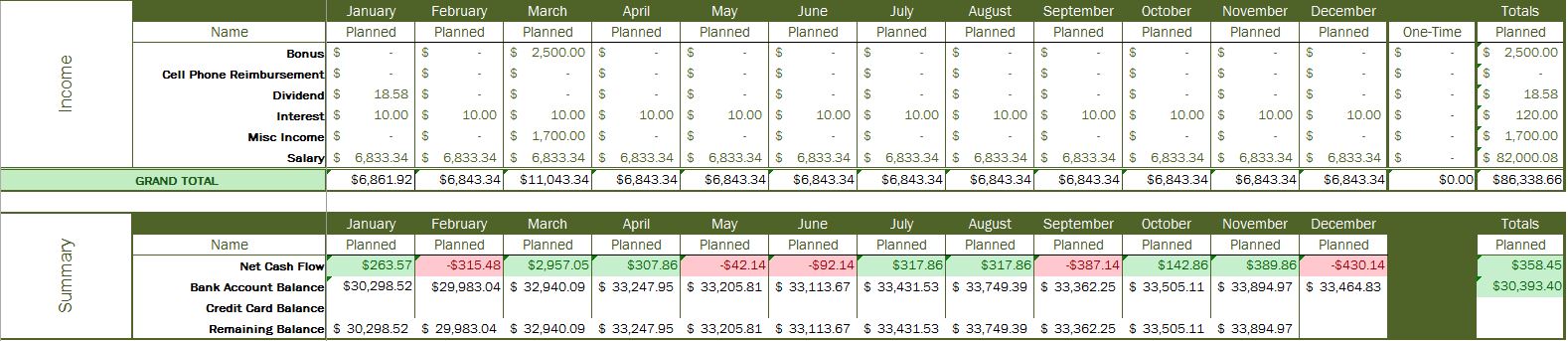
The screenshots below are from the Excel spreadsheet I will use to track my progress (click for bigger picture).

Expenses:

Expenses-2015Income and Summary:

Income_Summary2015Keep track of the progress over at the 2015 goals page.

Introduction to Budgeting

In this post, I will share with you how I setup my budget and how I track my finances overall.

Purpose for a Budget

Everyone must have an objective for creating a budget.  That objective can be to track expenses to see where the money goes.  In my case, I do it to align to a goal and help me track whether or not I will meet it.

Tracking Expenses

First, before trying to create a budget, you MUST know what your finances look like today.  I use a program called GnuCash to track every penny I spend.  I’ll warn you, it’ll be a little overwhelming to the average user since it follows standard accounting best-practices (credits, debits, etc.). And everything is manually entered, which is something most people aren’t into doing.

If GnuCash overwhelms you, try Mint.com. It’s completely online, and automatically organizes transactions by category.  I strongly recommend this for the beginner.

Plan your Budget

Once you are tracking your expenses for a month or two, you’ll start to get an idea on where your money goes.  This will be the foundation for your budget.

Using the data, I use an Excel spreadsheet and manually enter what I think I’ll spend in each category – broken up by month.  So if GnuCash tells me I spent $100 in January for gas, I enter $100 for each month until the end of the year.  I do this for every expense, income, contribution to investments, etc.  When finished, it’ll look something like the spreadsheet file below.

Budget-Blank.xlsx

The template is quite thorough, but by no means includes everything you would need – so you’ll have to add and remove rows as appropriate.